Nainuwa

Nainuwa

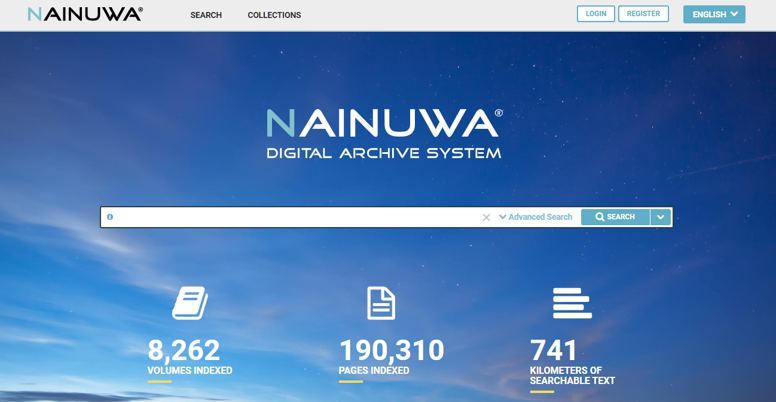
Nainuwa™ is one of the most advanced platforms to access, explore, search and handle digital multimedia data. TREVENTUS sees Nainuwa™ as a dynamic library software and digital content management tool that will grow and develop with the customer, with their needs and which will keep up with the time.

To specify the exact configuration of the system TREVENTUS recommends a detailed upfront discussion about the required tools and features combined with tests and evaluation on sample data.
Contact now
Feature

MAIN ADVANTAGES333x274xnainuwa 1 1 png pagespeed ic wf75y06gyp

Time saving search options, easy access and breath taking visualizations are offered.

  • Time saving & comprehensive search options
  • Easy metadata handling & fast image loading
  • Direct preview at any stage of the system
  • Responsive design for different devices
  • Wow-effect for users
  • Open source system components to ensure a reliable and long-term system availability
  • Highly scalable

WOW EFFECT333x228xnainuwa 2 1 png pagespeed ic rvhlfbbnrj

Because searching shall be fun.

  • Innovative search & view options
  • Bookmarking & Clipping
  • Direct and fast previews for individual preferences
  • Stepless zoom
  • High speed performance due to leading-edge software code

RESPONSIVE DESIGN & MULTIMEDIA333x249xnainuwa 3 0 png pagespeed ic

NAINUWA® is ready for any device – whether it is a desktop, tablet, or mobile. Moreover it enables to upload various media types & formats within one platform.

  • Books, newspapers, magazines
  • Documents, images, photos, maps, etc.
  • PDF, JPG, TIF, etc.
  • Audio & Video (optional)
  • Social media module (optional)

SEARCH OPTIONS333x191xnainuwa 4 0 png pagespeed ic

NAINUWA® searches in text and metadata at the same time.
In addition, a refining through facets and filters allows more specific search options.

  • Full text search
  • Advanced search
  • Search in volume & page metadata
  • Search through facets and filters
  • Highlighting of fulltext & metadata hits

Image

BOOKMARKS & BOOKSHELF333x204xnainuwa 5 0 png pagespeed ic 3zdh1rzl6g

Remember important pages and volumes for fast access later on.

  • Personal bookshelf
  • Bookmarking of found pages
  • Search options in bookmarked items
  • PDF creation of selected pages (incl. full-text layer)
  • Creation of custom volumes from selected pages

CLIPPING & PDF333x151xnainuwa 6 0 png pagespeed ic jwuqazc1z5

Clipping of articles or relevant image parts together with the available full-text.

  • Basic clipping
  • Advanced clipping for commenting (optional)
  • Copy text feature
  • PDF creation & download (incl. full-text and metadata record)
  • Integrated OCR module

VIEWER OPTIONS333x220xnainuwa 7 0 png pagespeed ic mh0oc1oqbl

The preview window can be displayed at any stage of the system so that your search results will always available. Moreover the results & pages within the preview can be displayed in different ways.

  • Single page view
  • Classic book reader view
  • Multipage / pivot view
  • Full & compact search results view
  • Comprehensive sorting options (relevance, title, date, etc.)

STEPLESS ZOOM333x187xnainuwa 8 png pagespeed ic yqz98r5aen

The stepless zoom is available in every view option and offers a breathtaking feeling while browsing the found search results.

  • Stepless
  • Extremely fast loading
  • Highly accurate
  • Available also within the full screen view

OCR – PROCESSING & CORRECTION333x83xnainuwa 9 png pagespeed ic yrfsc82ejq

NAINUWA® offers an integrated OCR to process the text recognition automatically on all uploaded content. Moreover to increase accuracy an easy to use live OCR correction tool is optionally offered.

  • Integrated OCR engine
  • Direct & live OCR correction (optional) with
  • Line to text comparison and
  • Line zoom

ADMIN TOOLS

USER RIGHTS & CONTENT MANAGEMENT

The user rights & content access management system allows easy and comprehensive organizing of users and content.

Organize user rights (e.g. access to features)

Organize access rights

Set access time limits

Grouping of users (user roles)

Overview of complex access rights

METADATA EDITOR

Add and change metadata of volumes (books, newspapers,..) and individual pages.

Import & export of metadata

Volume & page metadata editor

Live OCR correction (optional)

Collection creator